On this page
TL;DR
- How it runs: Per channel, turn it on or off and choose the models, API keys, spend caps and memory.
- How it talks and sells: Names, welcome message, starter chips, tone of voice and a selling style: educational, promotional, off or your own.
- What it knows about your store: House rules and knowledge (policies, buying guides and short facts), plus the store's CMS pages.
- Versioned changes: Rules and knowledge keep drafts, history, comparisons and restores.
- Checked by evals: After a change, evals show whether what already worked still works.
Why configure it from the admin?
The people who know how a store should sell are rarely the ones who deploy it. If changing the welcome message or a return policy needs a developer and a release, it won't happen often.
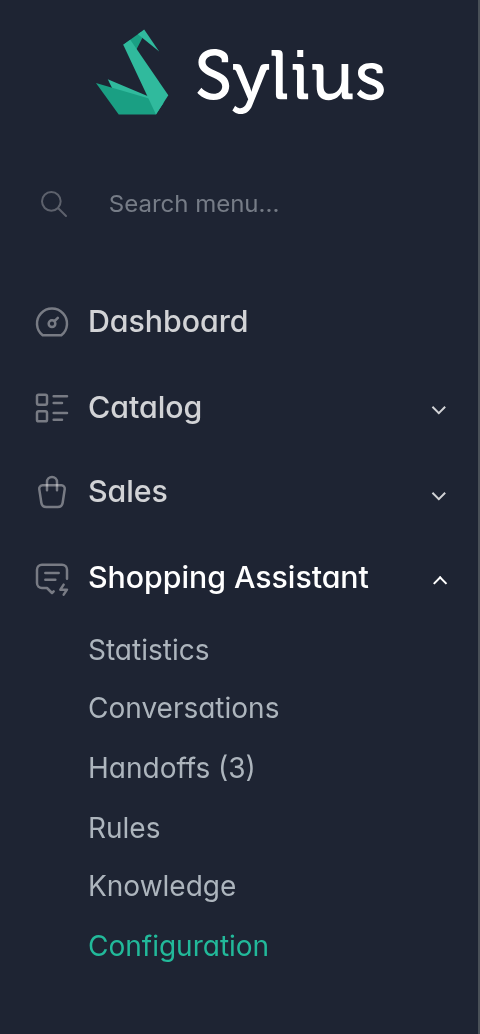
So everything that shapes the agent's behavior can be changed in the admin section called Shopping Assistant.
How do you control how the agent runs?
Each channel has its own configuration, in four tabs. The first, General, covers how the agent runs:
- On or off. When it's off, the channel shows no chat.
- Models. Choose the conversation model and its effort (low, medium or high), and a separate model for memory, which runs in the background.
- API keys. Use one key per platform, so the conversation and the memory can run on different accounts. Keys are stored encrypted.
- Spend caps. Set caps per conversation, per day and per month. When the day or month cap is reached, the chat isn't shown, and anyone already chatting sees a card with the store's contact details instead.
- Memory. Choose whether the agent remembers what shoppers said between visits, and for how many days. After that, a memory is no longer used, and a daily cleanup task deletes it, so the store keeps shopper data only as long as its privacy policy allows.
How does it sound, talk and sell?
Three tabs shape what the shopper experiences.
Presentation sets what the shopper sees first:
- The brand and assistant names, which the agent also uses to introduce itself.
- A welcome title and message.
- Up to five starter chips.
Tone of voice sets how the agent sounds and how it addresses the shopper: formal or friendly, short or detailed answers, with or without emoji.
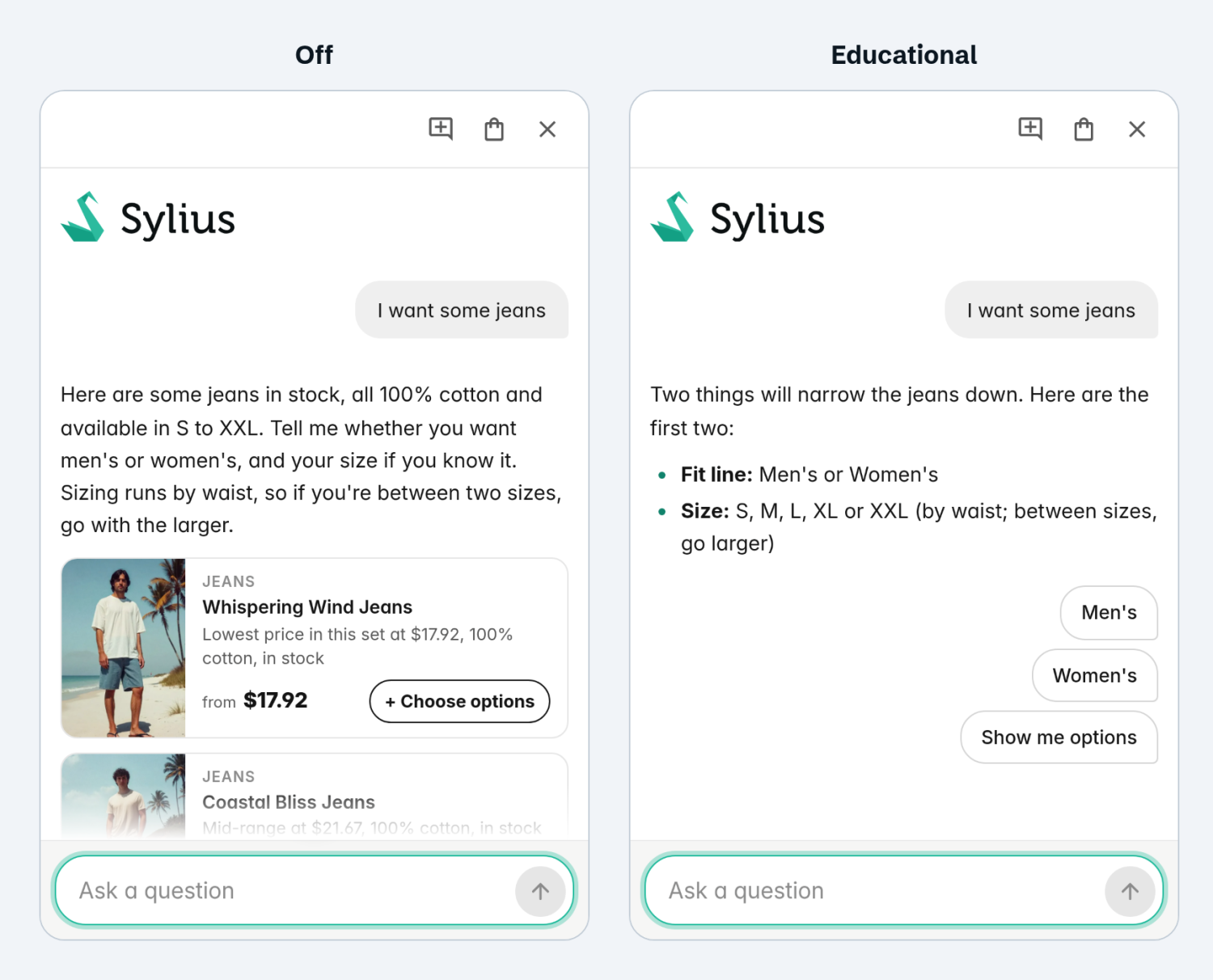
Selling style sets how it guides a purchase. There are four options:
- Educational. It focuses on helping the shopper find the right product, asking about the criteria the store defines in its buying guides before showing options. When it suggests something that goes with a product, it shows it.
- Promotional. It shows products sooner, highlights the ones on sale and nudges the shopper toward the cart, for stores that want a more direct sales push.
- Off. It answers what the shopper asks, with no sales approach of its own.
- Custom. The store writes its own style, up to 1,200 characters, and can even combine others: for example, asking about criteria like Educational and highlighting what's on sale like Promotional.
How do you teach it your store's rules?
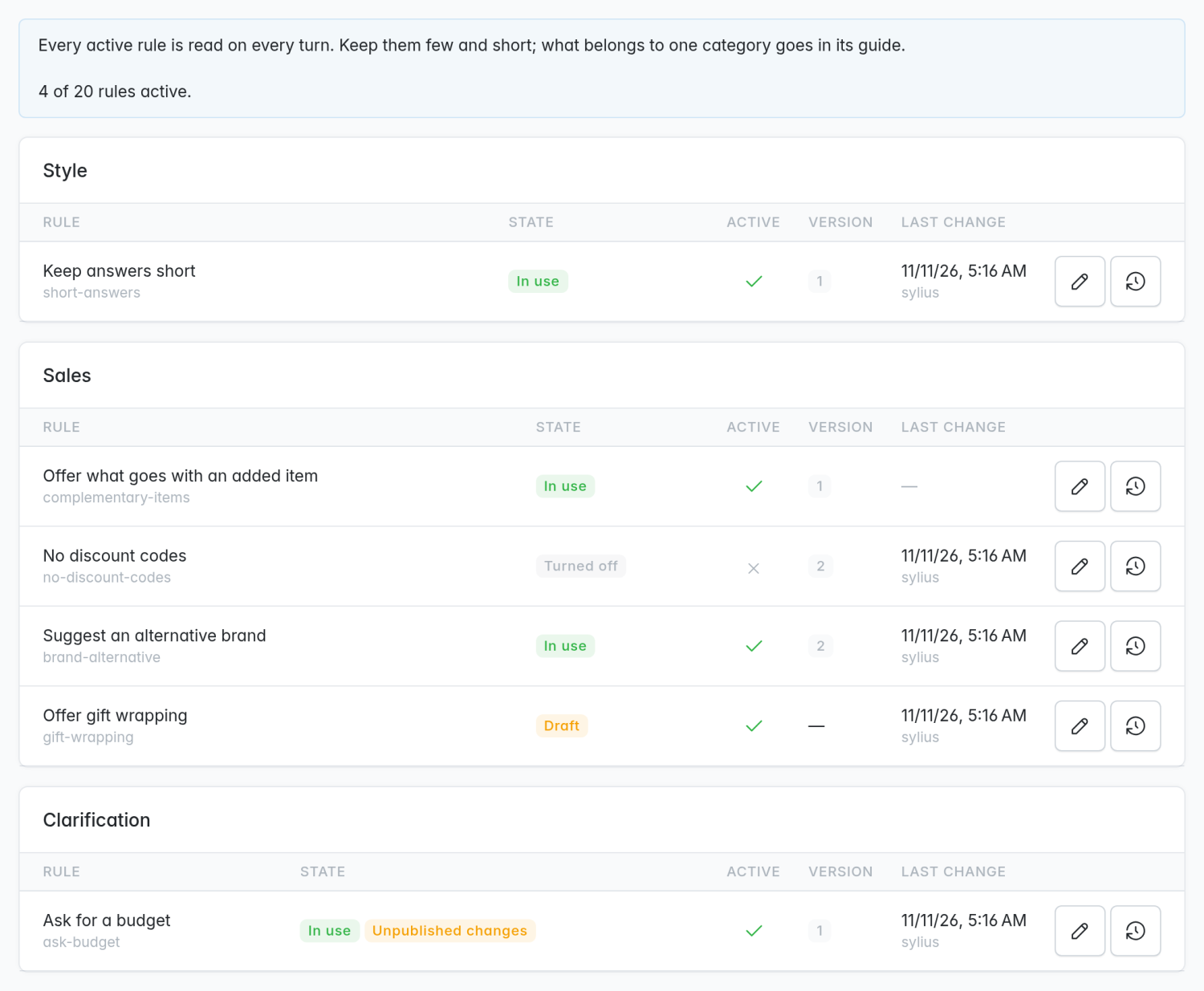
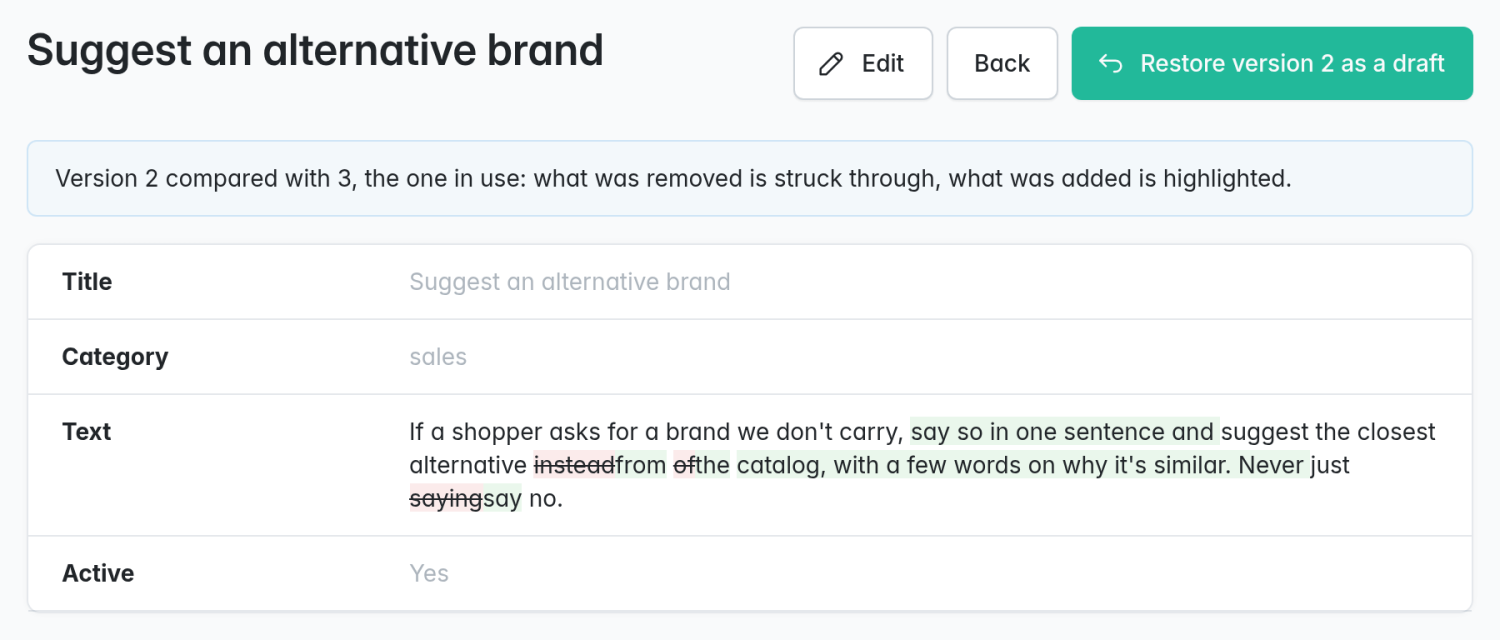
A house rule is one sentence about how to behave, such as "If a shopper asks for a brand we don't carry, suggest the closest alternative instead of just saying no" or "When someone is buying a gift, offer gift wrapping". Rules are grouped by category: style, sales, clarification and other.
Rules are included in the agent's instructions on every turn, so they're always followed. A rule describes behavior, never a fact.
How does it learn your policies and guides?
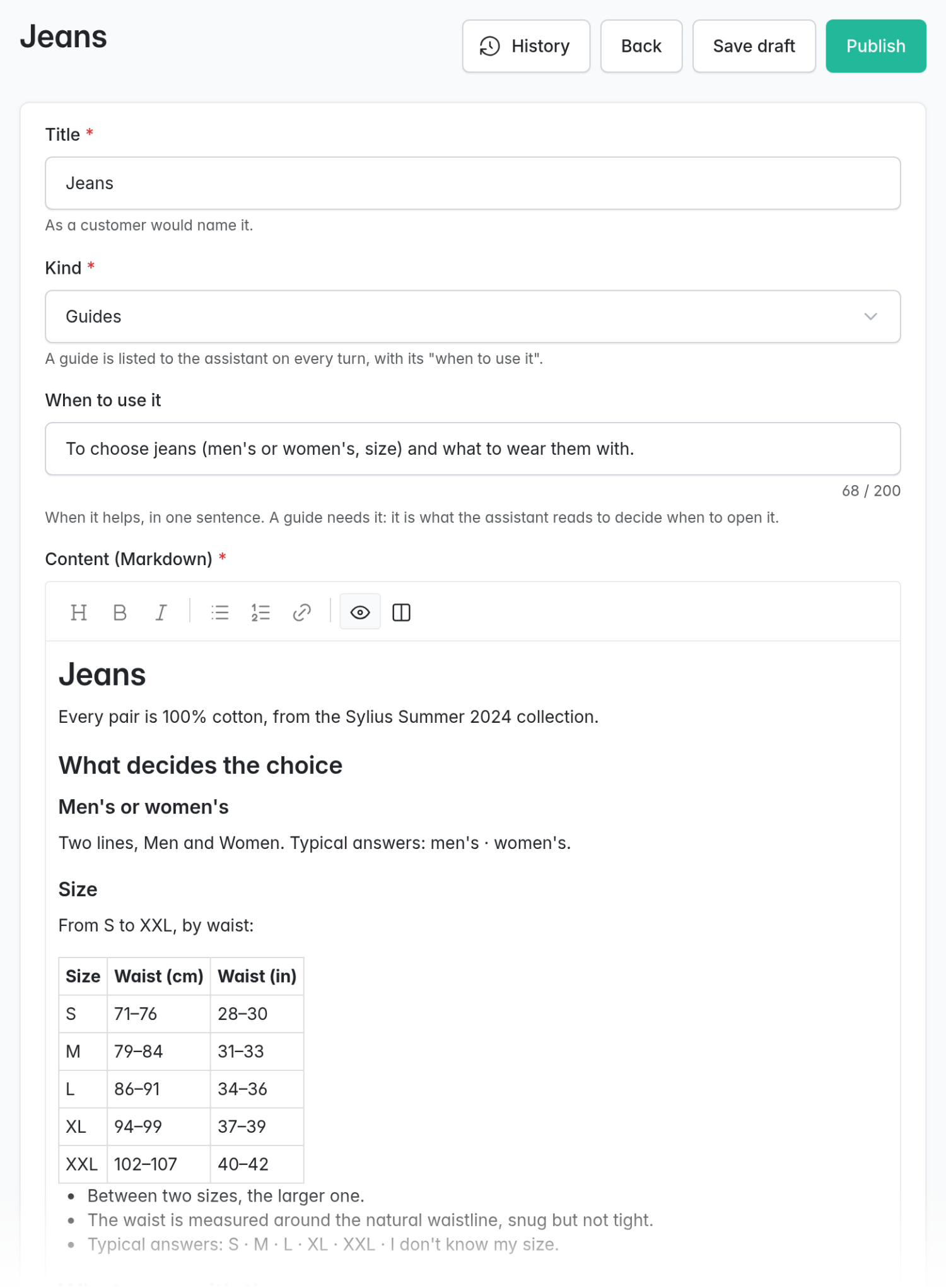
The knowledge is what the store knows, in three kinds of documents:
- Policies: Returns, shipping, payment and invoices.
- Buying guides: How to choose within a category: its criteria with all their options, what goes with what and how much is needed.
- Snippets: Short facts, such as a free shipping threshold.
Each section of a document answers one question, worded the way a shopper would ask it, and the agent finds the right section with a search. Guides are indexed in the agent's instructions, and it reads one only when it needs it.
If the store uses the Sylius CMS plugin, its pages are added to the knowledge automatically.
What if a change goes wrong?
Rules and knowledge are versioned, the same way in both:
- Save draft keeps a change without using it.
- Publish creates a new version, with an optional note explaining what changed and why. It reaches the agent within two seconds.
- History lists every version with its date, author and note.
- Compare shows any version against the one in use.
- Restore copies an old version into a draft, so it can be published again.
How do you test a change with evals?
A new rule can fix one conversation and affect another. That's what evals are for: test cases that run the agent against the store and grade what it did.
To check that the agent still works as expected, you can run bin/console agent:eval. The existing cases show whether searching, comparing or the cart still work. To keep an important rule from breaking later, it gets its own case, written in JSON. For example:
{
  "id": "rule-gift-wrap",
  "turns": ["I'm looking for a birthday present for my sister"],
  "expected": {
    "rubric": "PASS if the agent offers gift wrapping. FAIL if it doesn't."
  }
}
We'll cover how evals work in a later post: trials, replays and the judge model.
What's next
In the next posts, we'll cover what the store sees after each conversation (transcripts, statistics and handing a case off to a person on the store's team) and how evals work in depth.
Not on Sylius, or not running a shop? The same foundation runs dedicated agents on other stacks and for other jobs: shopping, after-sales, customer support, or an assistant for a site that sells nothing at all. They run on your own infrastructure, not as a SaaS. Tell us what you need.

